Afterburn
The work after the call. Done before the next one rings.
You hang up, Coldfire takes over. Call Documentator writes down what was said. Workflows turn it into the next steps: email, follow-up task, meeting, status. At the median, everything is done 20 seconds later.
No setup fee · cancel anytime
- 20 s
- from hang-up to finished after-call work, at the median
- 9 in 10
- calls are done within 30 seconds
- 70,000+
- calls documented by Coldfire since March 2026
- 1.5M+
- dials made through Coldfire since 2023
What piles up after you hang up
01
The note comes later. Or never.
After five calls in a row you no longer know who said what. The note gets short, vague or skipped altogether.
02
Promised isn't sent
“I'll email that over.” Between two calls the email gets lost. The lead waits, goes cold and in the end doesn't remember you.
03
Callbacks without a date
“Call me tomorrow at three.” If that isn't a task in the system right away, nobody calls tomorrow. Or someone calls at the wrong time.
Afterburn in one minute
Four calls, four outcomes, no manual follow-up: one run in the Coldfire demo workspace.
All companies, people and numbers shown are demo data.
How it works
- 1
Call
You talk as usual, from the Power Dialer or by clicking a number. Coldfire records your side and the lead's side separately.
- 2
Hang up
Coldfire transcribes the call. Call Documentator writes the summary and fills in the fields of your call type.
- 3
Workflows run
Your workflows read those fields and take the matching steps: email, task, meeting, contact, status or block.
- 4
Glance, move on
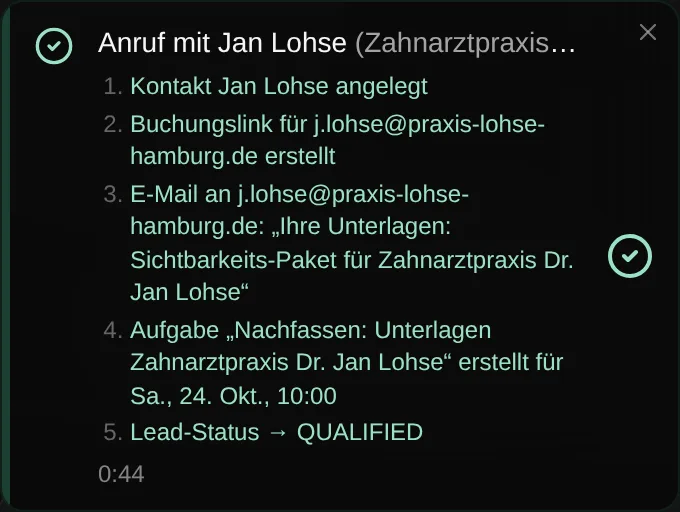
Bottom left, Coldfire shows you what was done. Usually you're already on the next call.
What Afterburn does for you
The call note
After every answered call, a three-line summary sits on the lead: who you reached, what came out of it, what happens next. Plus the fields you defined, such as outcome, decision-maker or callback time.
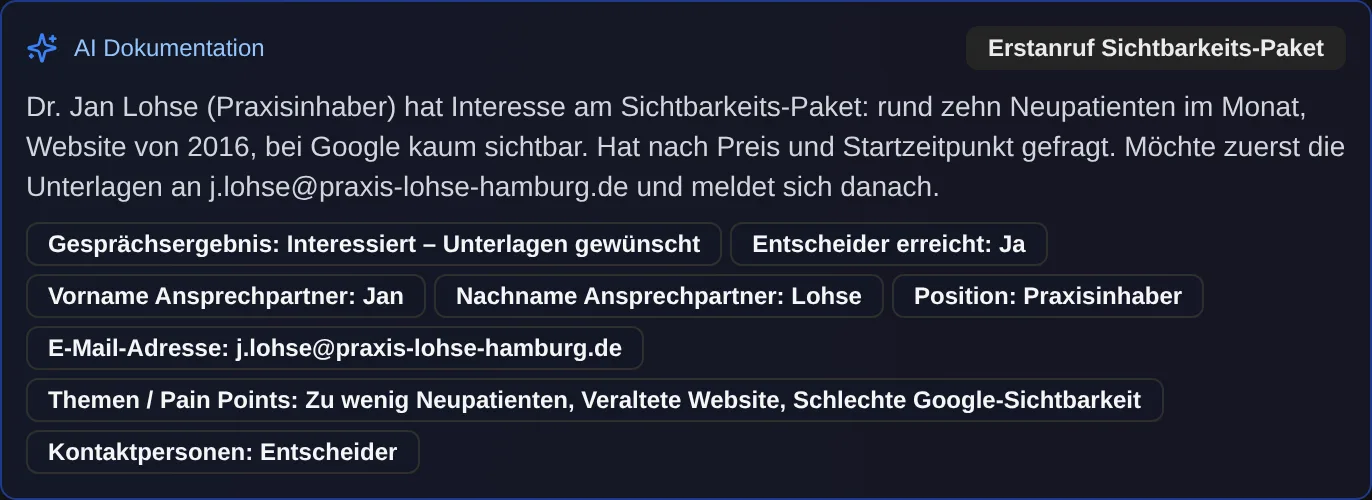
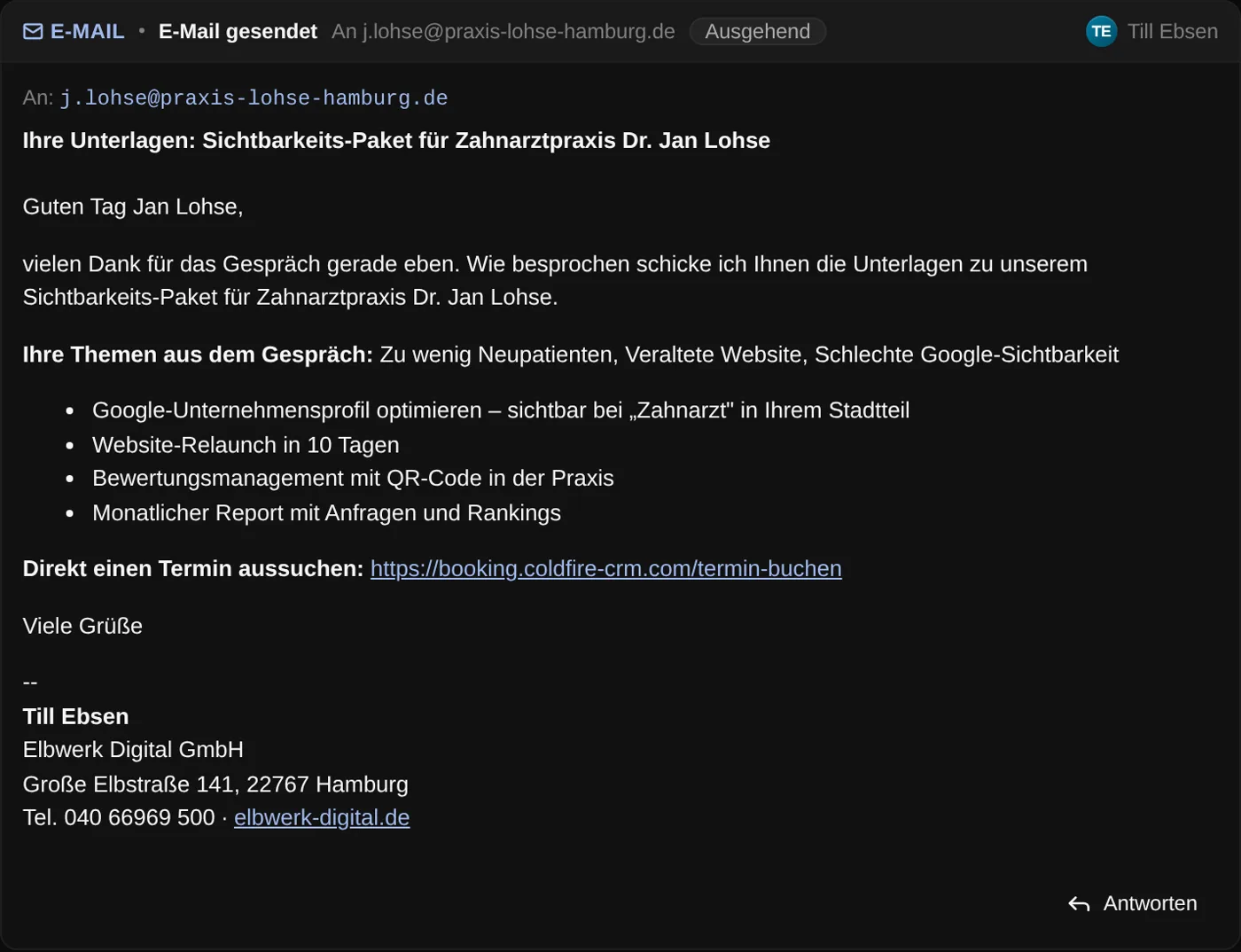
The email you promised
When the lead says “Send me something”, the email goes out from your own mailbox. With template, salutation and signature. If you like, it includes a booking link so the lead picks a free slot themselves.
Follow-up at the time they named
If the person you spoke to names a time, it becomes a task for exactly that time. “Tomorrow at 3 pm” is in your tasks tomorrow at 3 pm. Without a time, the workflow schedules it, for example, three days out.

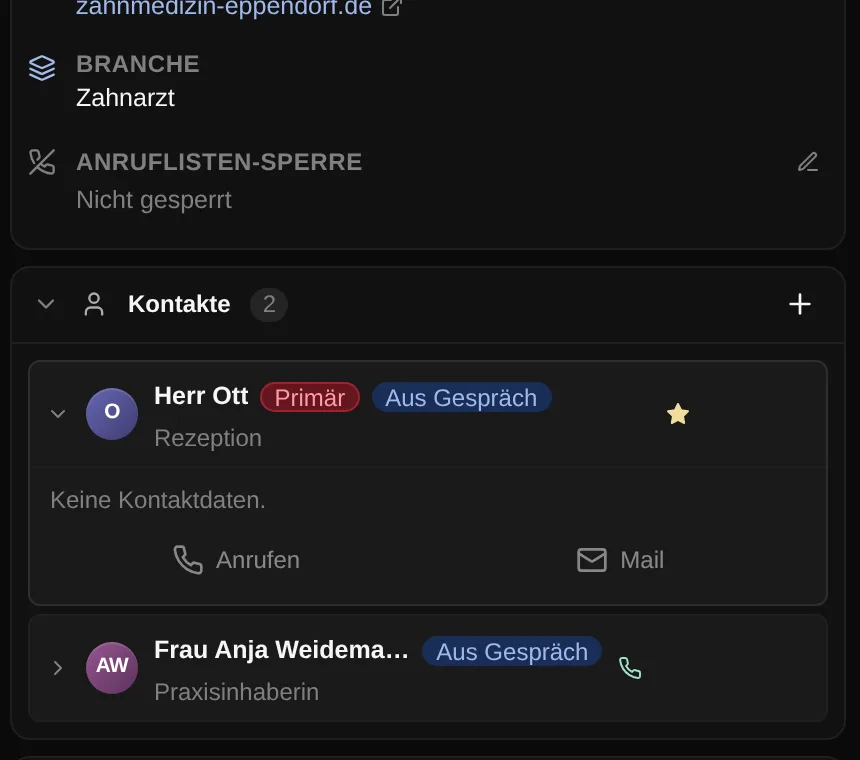
New decision-maker as a contact
If the front desk gives you the owner's name and direct line, Coldfire adds her as a contact on the lead. On the next call you know who to ask for and how to reach her directly.
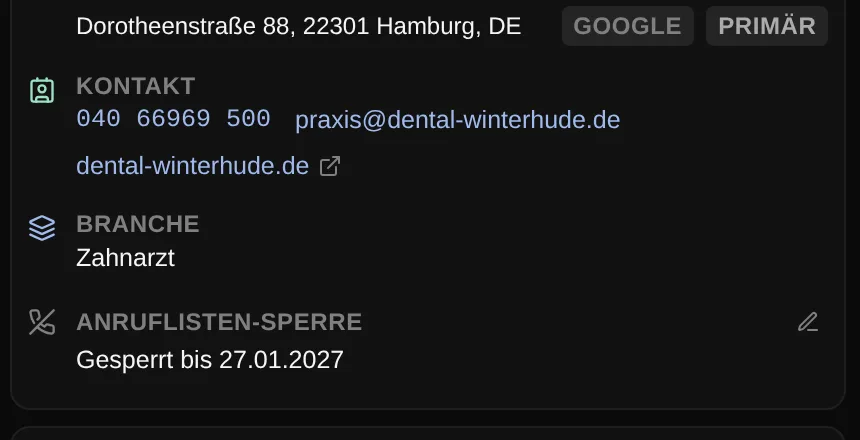
Status and call block
The lead status changes to the right value, for example “Qualified”. On “not interested”, the built-in block handling removes the lead from all call lists for three months, on “please don't call again” for twelve months.
You see what happened
After you hang up, a small notice bottom left shows each step: transcription, documentation, workflow, done. Then it lists what was done. The call detail shows it again under “Automation”, including when nothing ran, and why.
Meeting straight into the calendar
If a meeting is agreed on the call, the workflow creates it with the right appointment type. If you like, the appointment type's confirmation email goes straight to the contact.
A ready-made preset instead of a blank canvas
The “Cold Call + Follow Up” preset sets up call types, AI fields and two workflows from a few answers: follow-up tasks only when there's a reason, and the named decision-maker as a contact. Then you adjust whatever you want.
Who it's for
Setters and openers
You talk, Coldfire takes notes and cleans up afterwards. Nothing is left for you to do between two calls.
Team leads
You decide once what happens after which call. Then every lead gets the same follow-up, no matter who called or how late it is.
Solo callers
Afterburn is included in the Solo plan. Three workflows can be active at the same time there, enough for the preset plus block handling.
Manual follow-up or Afterburn
| By hand | With Afterburn | |
|---|---|---|
| Call note | typed when there's time | on the lead within seconds |
| Promised email | later, if you remember | sent after you hang up |
| Callback | sticky note or calendar | task at the time they named |
| Meeting | entered by hand | created, confirmation sent |
| New decision-maker | buried somewhere in a note | a contact on the lead |
| Lead with no interest | gets called again next week | blocked from call lists |
Questions about Afterburn
Try Coldfire free for 14 days.
Import your leads, connect your phone line, make the first call. Cancel anytime.
