Call Documentator
Document calls with AI. Without typing a single line.
After every answered call, Coldfire transcribes both sides and writes the note. The AI also fills exactly the fields you define: outcome, contact person, callback time, objection. 20 seconds after hang-up at the median.
No setup fee · cancel anytime
- 70,000+
- calls documented by Coldfire since March 2026
- 20 s
- from hang-up to finished documentation, at the median
- 14
- field types for the fields the AI fills
- 5
- conversation metrics per call, counted, not guessed
Why call notes are rarely any good
01
No time to write
If you make a hundred calls a day, you write two words after each one. “Not interested.” “Call later.” When? Who? Nowhere to be found.
02
Everyone writes differently
One rep notes the decision-maker, another the budget, a third just an abbreviation. You can't analyze any of it, because no field is filled the same way.
03
What was said is gone
Did the practice really say “in spring”? Without a recording and transcript, all you have is the caller's memory. And after the twentieth call, that's thin.
Call Documentator in one minute
One call with a dental practice in Hamburg and what Coldfire captures from it: one run in the Coldfire demo workspace.
All companies, people and numbers shown are demo data.
How it works
- 1
Define a call type
Decide what the AI should pull from the call, such as outcome, decision-maker and callback time. For each field you write a short hint.
- 2
Call
Coldfire picks the right call type by rule, for example by the list you're calling from. Or you choose it yourself in the call bar.
- 3
Hang up
Coldfire transcribes both sides, writes the summary and fills your fields.
- 4
Keep working
The note is on the lead. Workflows turn the fields into emails, tasks and meetings. In the call history you filter by any field.
What Call Documentator captures
Transcript of both sides
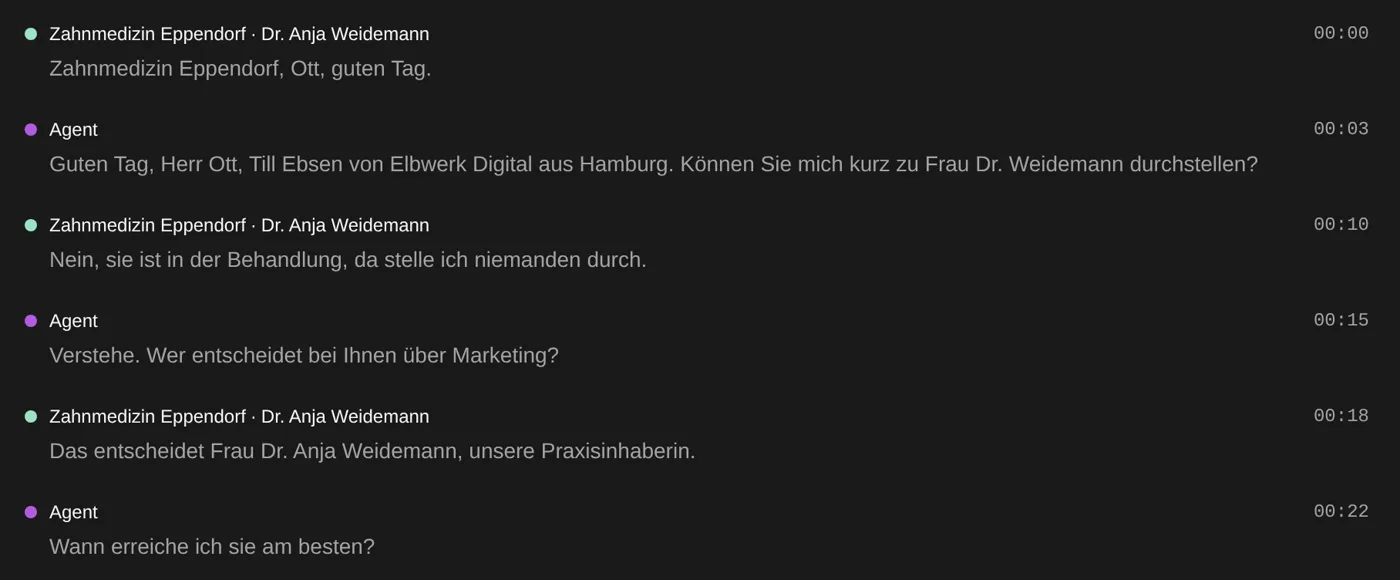
Your voice and the lead's are recorded separately and transcribed separately. The transcript shows who said what, with timestamps. Click a sentence to jump to that exact spot in the recording.
A three-line note
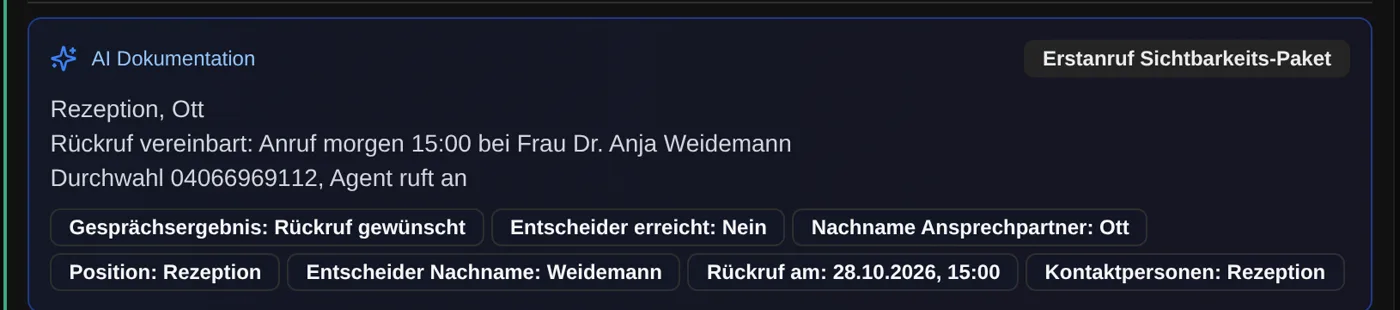
The summary always follows the same pattern: who you reached, what came out of it, what happens next. For example: “Practice manager Mr Ott · owner in treatment · callback tomorrow 3 pm with Dr Weidemann”.
Your fields, filled by AI
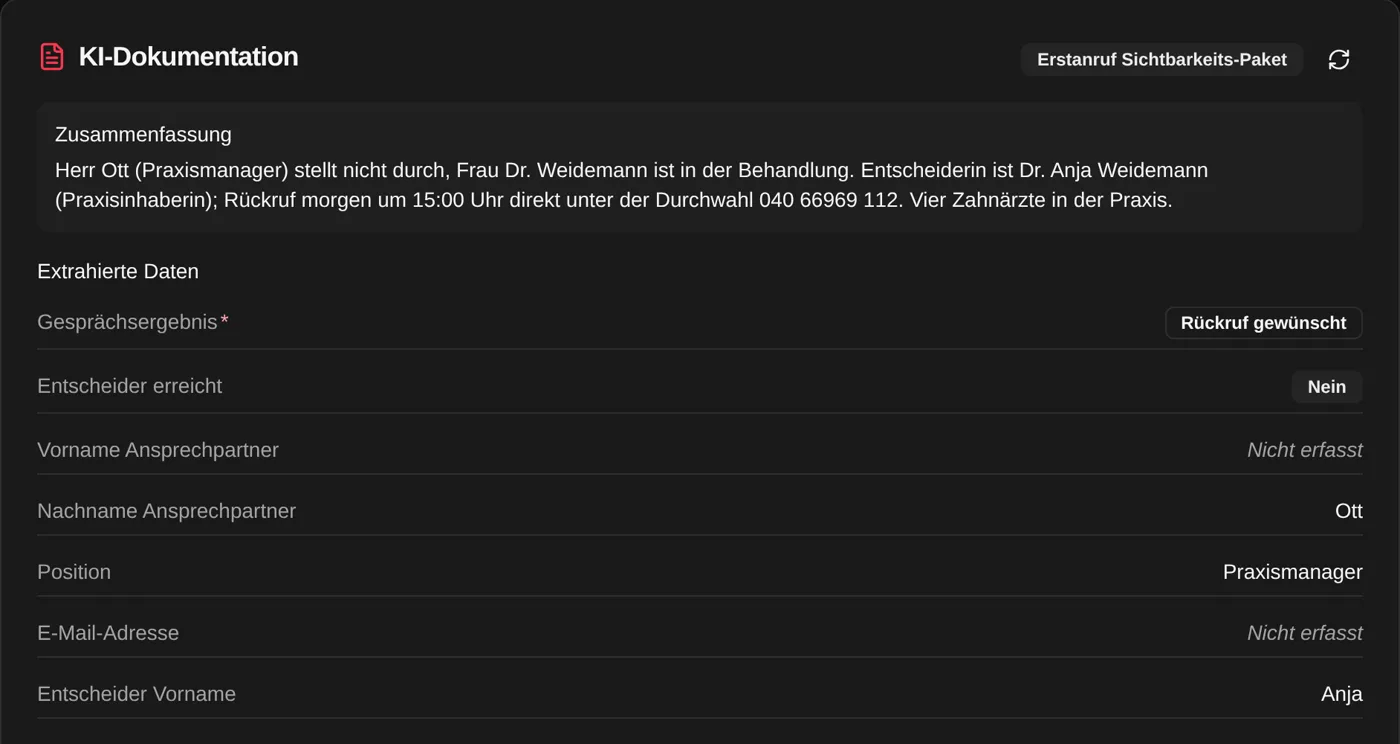
Per call type you decide what the AI should extract. 14 field types are available: text, number, currency, date with or without time, single and multi select, yes/no, email, phone and more. A hint per field tells the AI what to look for.
Conversation metrics without AI
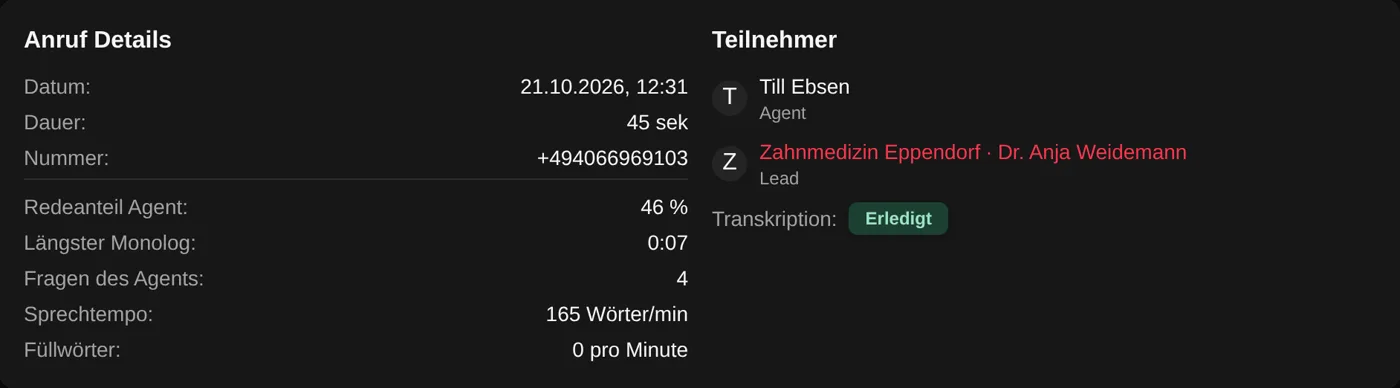
For every call, Coldfire calculates from the transcript: your talk share, the longest monologue, how many questions you asked, your speaking pace and filler words per minute. That's plain counting, not an AI judgment.
Find calls again
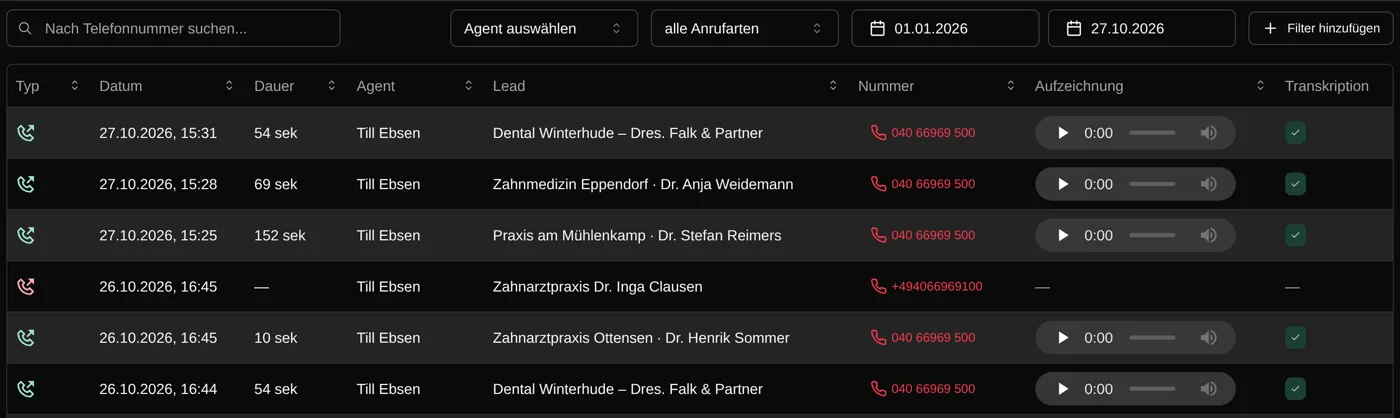
In the call history you search transcripts for words and filter by call type, by any documented field and by the metrics. For example: every call where you reached the decision-maker and the objection stuck.
Names spelled right, nothing made up
The AI checks names, email addresses and numbers against what the CRM already holds for the lead. It may only add what was said on the call. If something wasn't said, the field stays empty.
The right call type, by rule
Rules under “Automatic Selection” decide the call type: which list you're calling from, whether it's a follow-up, whether the lead has open tasks with a certain tag. The call bar shows which rule matched, and you can switch.
Listen at your own pace
Play the recording at 0.5× to 2× speed while the transcript follows along. If the call type was wrong, regenerate the documentation with a different one.
Who it's for
Callers
You make the call, the note writes itself. Before the next call, the lead shows what was said on the last one.
Team leads
Every call is documented the same way, with the same fields. For coaching you listen to the exact moment instead of asking around.
Solo callers
Call Documentator is included in the Solo plan just like in the Team plan, with recording and transcription.
Taking notes by hand or with Call Documentator
| By hand | With Call Documentator | |
|---|---|---|
| Note | two words, if any | three lines: reached, outcome, next step |
| Names and numbers | from memory | from the call, checked against the CRM |
| What exactly was said | gone | transcript and recording |
| Fields | everyone fills them differently | the same fields on every call |
| Finding calls again | scrolling through notes | transcript search, filter by field |
| Coaching | gut feeling | talk share, monologue and questions per call |
Questions about Call Documentator
Try Coldfire free for 14 days.
Import your leads, connect your phone line, make the first call. Cancel anytime.
